Contract notifications
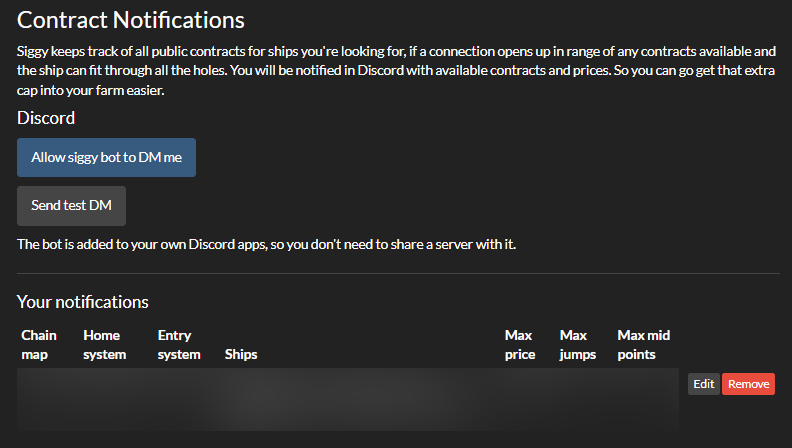
Contract notifications let Siggy watch public contracts for ships you're looking for. When a connection opens on your chain that's in range of a contract, and the ship can fit through every hole on the way in, Siggy sends you a Discord DM with what's for sale and the price. This makes it easier to get that extra capitals into your farm.
Before you start
Contract notifications are sent as Discord DMs, so there's a few things to set up first:
- Link your Discord account under
Discord Settingson the User Settings page. -
Set
Contract notifications on Discordto yes on the same page and pressUpdate Settings.You'll find the Contract Notifications page in the menu on the left of your account pages, or under
Discord Settings.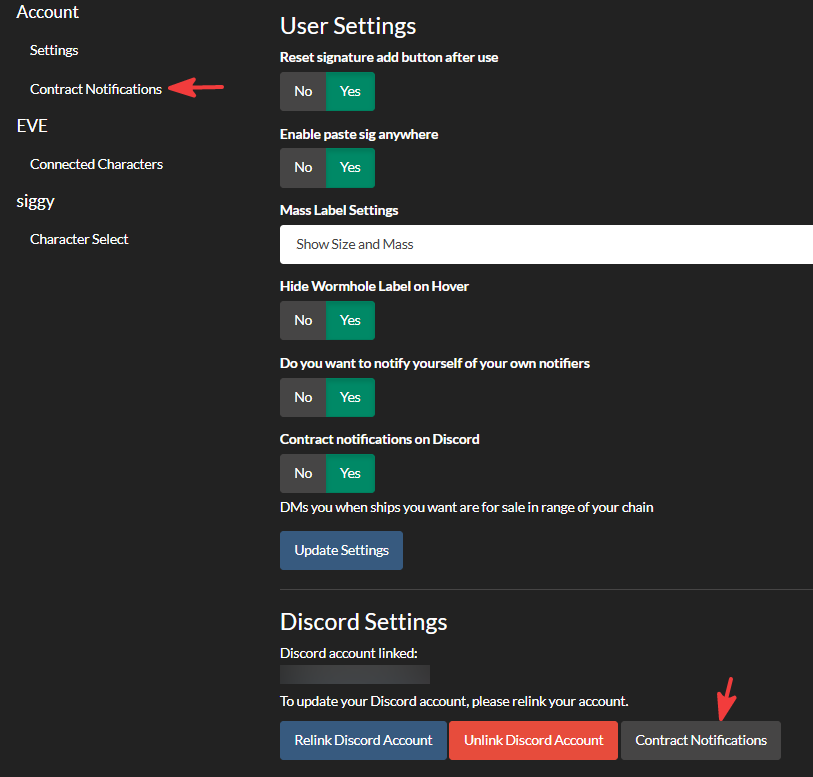
-
On the Contract Notifications page press
Allow siggy bot to DM me. The bot is added to your own Discord apps, so you don't need to share a server with it. - Press
Send test DMto check it works. If nothing arrives after a minute, add the bot again and send another test.
Adding a notification
Fill in the form under Add notification and press Add notification.
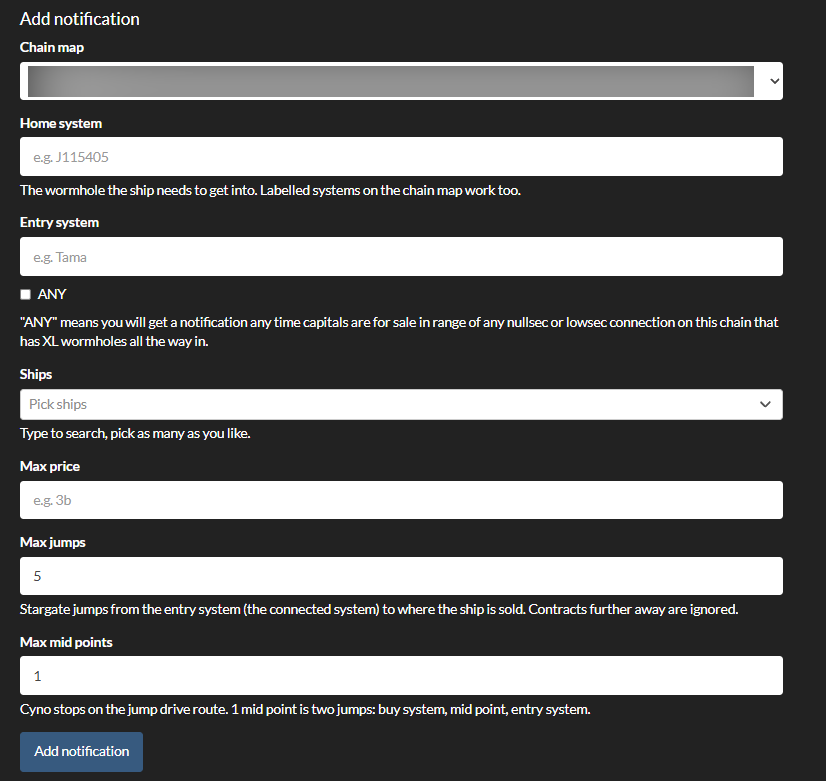
- Chain map: The chainmap to watch. Only chainmaps one of your characters can see are listed.
- Home system: The wormhole the ship needs to get into e.g. J115405. Labelled systems on the chain map work too, so you can type the name it's called in the chain.
- Entry system: The k-space system the ship enters the chain from e.g. Tama. Tick
ANYto be told about ships for sale in range of any low sec or null sec connection on the chain that has XL wormholes all the way in. - Ships: The ships you're looking for. Type to search and pick as many as you like, up to 20.
- Max price: The most you're willing to pay, e.g.
3b,500mor3000000000. - Max jumps: How many stargate jumps the ship can be from the entry system. Contracts further away are ignored.
- Max mid points: How many cyno stops are allowed on the jump drive route. 1 mid point is two jumps: the buy system, the mid point, then the entry system.
When you save, Siggy checks your chain straight away. If something is already for sale in range, you'll get a DM there and then.
You can have up to 20 contract notifications.
The DM
Each DM is headed with the home system and chainmap, then lists each ship found with where it's for sale, how many jumps and mid points away it is, the distance in light years and the price. If you used ANY, it also says which entry system to use.
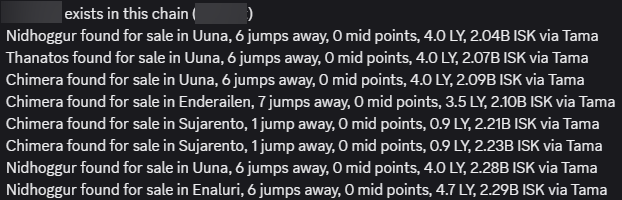
Contracts are refreshed every 15 minutes and your chain is checked every minute. You get one DM per connection, and another when that connection is recreated or a new one opens.
Your notifications
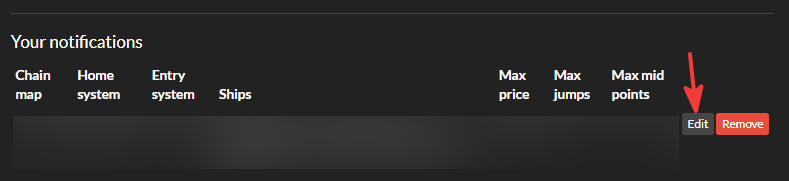
Your notifications are listed in a table with their settings. Press Edit to change one or Remove to delete it.
If none of your characters can see the chain map any more, the notification is marked No access, paused and won't send until you have access again.
Things to know
There may be a delay of up to 1 hour for this to start working due to how public contracts work. It can be as short as 15 minutes or depending on other configurations it could work instantly!