The jump map
The jump map shows how far a jump drive ship can reach in k-space from the exits on your chain. It's used for planning blops drops, capital moves and jump freighter runs out of the hole.
You can open it with the Jump Map button under the map, or by right clicking a wormhole or low / null sec system and pressing Show Jump Map.
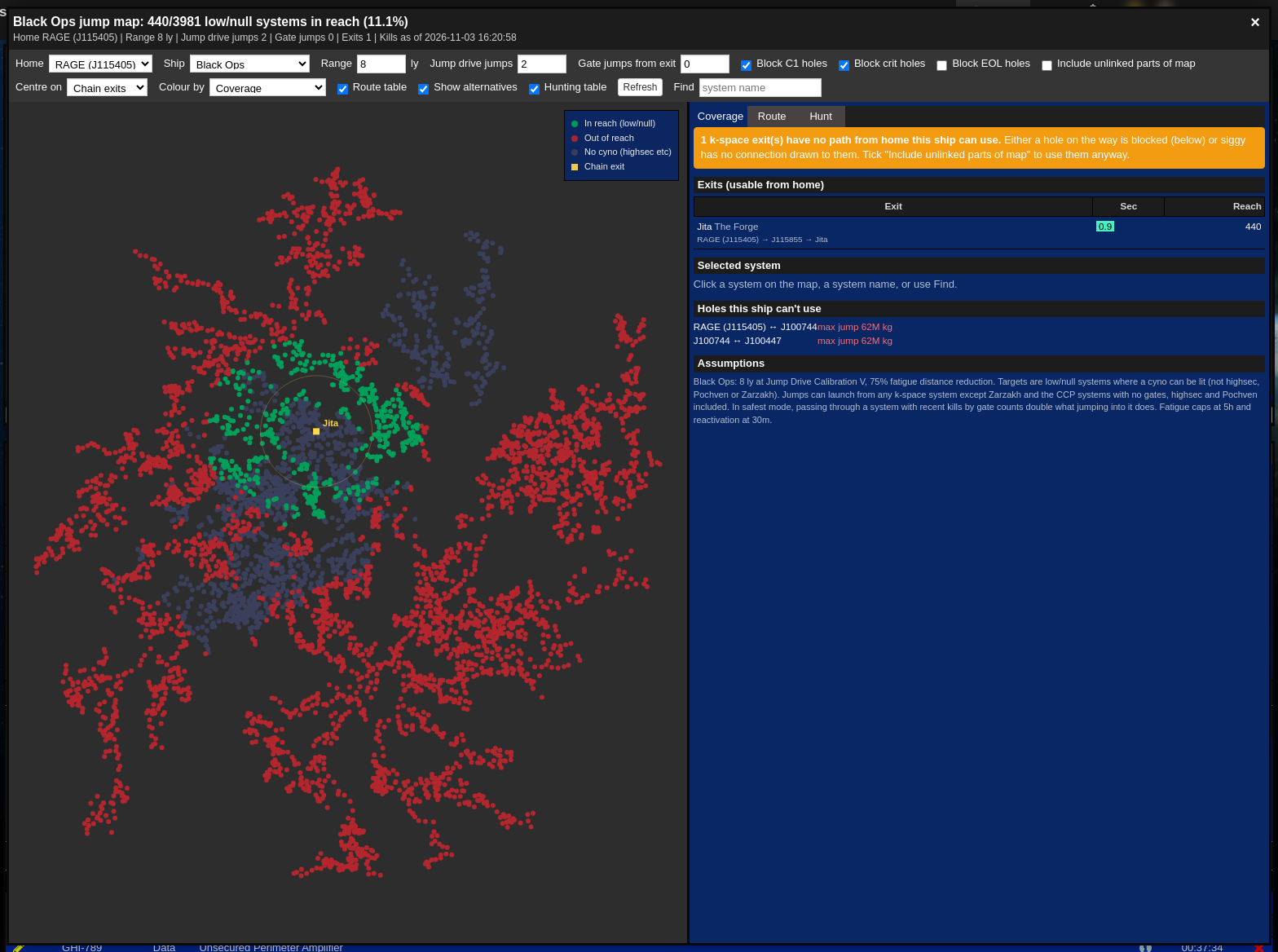
Settings along the top
- Home: The home system the chain is measured from.
- Ship: The ship you're jumping, e.g. Black Ops, Jump Freighter, Rorqual, Dreadnought, Lancer Dreadnought, Carrier, Force Auxiliary, Supercarrier, Titan. This sets the jump range.
- Range: The jump range in light years, set by the ship but you can change it for your skills.
- Jump drive jumps: How many jumps you're willing to make.
- Gate jumps from exit: How many gate jumps you're willing to take from a chain exit before the first jump.
- Block C1 holes, Block crit holes, Block EOL holes: Ignore exits you can't or don't want to use.
- Include unlinked parts of map: Use k-space exits on the map even if Siggy has no connection path to home.
- Centre on: Draw reach from the chain's exits, or from the origin on the Route tab.
- Colour by: Colour the map by coverage, jumps away, NPC kills or ship kills in the last hour.
- Route table, Show alternatives, Hunting table: Show or hide the tables on the right.
- Refresh: Reload the jump map data.
- Find: Jump to a system on the map.
Map
Each dot is a k-space system, coloured by the Colour by setting. Hovering over a system shows its details, and clicking it selects it on the Coverage tab.
Right clicking a system on the jump map gives the options to plan a route to it, set it as the origin, add it as a stop or avoid it, and the usual set destination, add waypoint, copy to clipboard and show info.
Coverage
The Coverage tab lists the chain exits you can use from home and the low and null sec systems each exit reaches, along with the selected system and the assumptions used.
Route
The Route tab plans a jump route.
- Origin: Where you're starting from. With no origin typed it can start from your current location or the chain's exits.
- Max gate jumps at each end: Gate jumps allowed from the origin to a launch system, or from the last landing to the destination.
- Stops: Systems the route has to go through.
- Destination: Where you're going.
- Mode: Safest (avoid recent kills) or Fewest jumps.
- Avoid: Systems to stay away from, and an option to avoid systems with kills in the last hour.
Press Plan route to show the route, with each launch point, how far each jump is in light years, the fatigue it'll cost and the reactivation timer.
Hunt
The Hunt tab lists systems in reach that look worth a drop, filtered by minimum NPC kills, maximum ship kills, security and region. Systems with ratting but no recent ship kills are a good place to start.