newUI settings
Press the cog in the top right corner to open Settings. It has three tabs: Settings, Characters and Contract notifications.
Settings
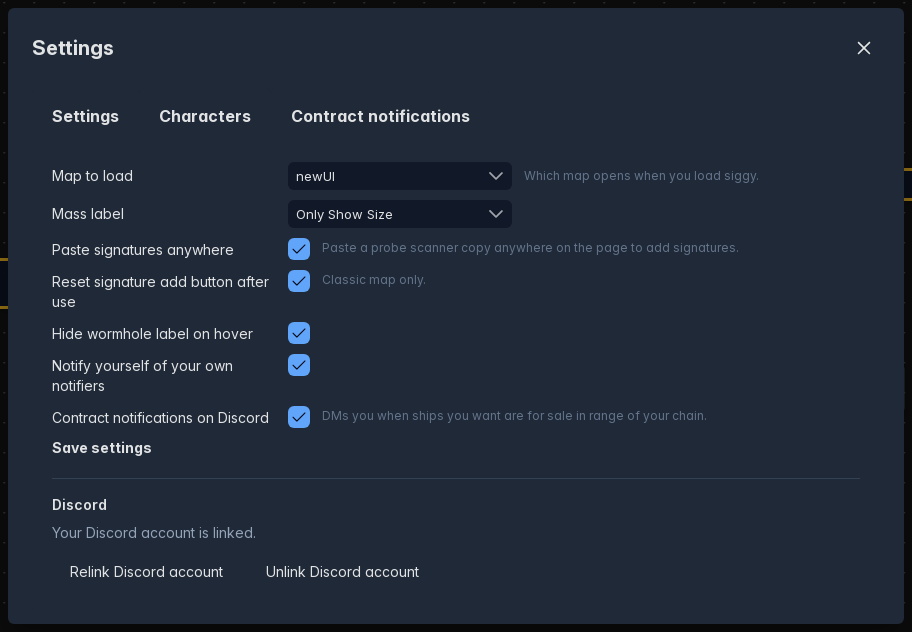
These are the same settings as the classic User Settings, so changing them in one changes them in both.
- Map to load: Classic or newUI, which map opens when you load Siggy.
- Mass label: What the label on each connection shows, such as the size with the mass.
- Paste signatures anywhere: Paste a probe scanner copy anywhere on the page to add signatures.
- Reset signature add button after use: Classic map only.
- Hide wormhole label on hover: Hides the connection labels while you hover over them.
- Notify yourself of your own notifiers: Sends you a Discord message even when it was you that triggered the notifier.
- Contract notifications on Discord: Turns on Discord DMs for your contract notifications.
Press Save settings to keep your changes.
Discord
Shows whether your Discord account is linked, with buttons to link, relink or unlink it. These open in a new tab.
Characters
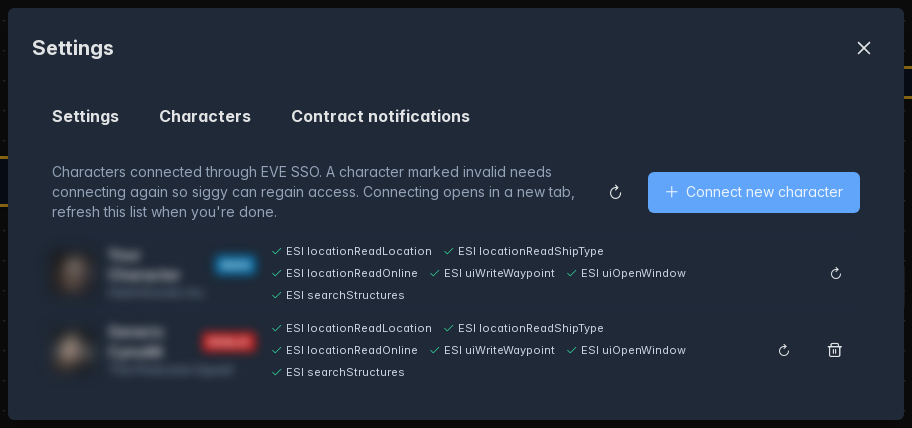
Every character you've connected through EVE SSO, showing whether it's valid, which permissions it has and whether it can set waypoints. Your main character is marked Main, characters that can't see your group are marked No access and characters that need reconnecting are marked Invalid.
- Use: Switches Siggy to that character and reloads the page.
- Reconnect: Logs the character in through EVE SSO again, useful if it's marked invalid.
- Disconnect: Removes the character after you confirm. You can't disconnect the character you're using.
- Connect new character: Adds another character, this opens in a new tab.
Contract notifications
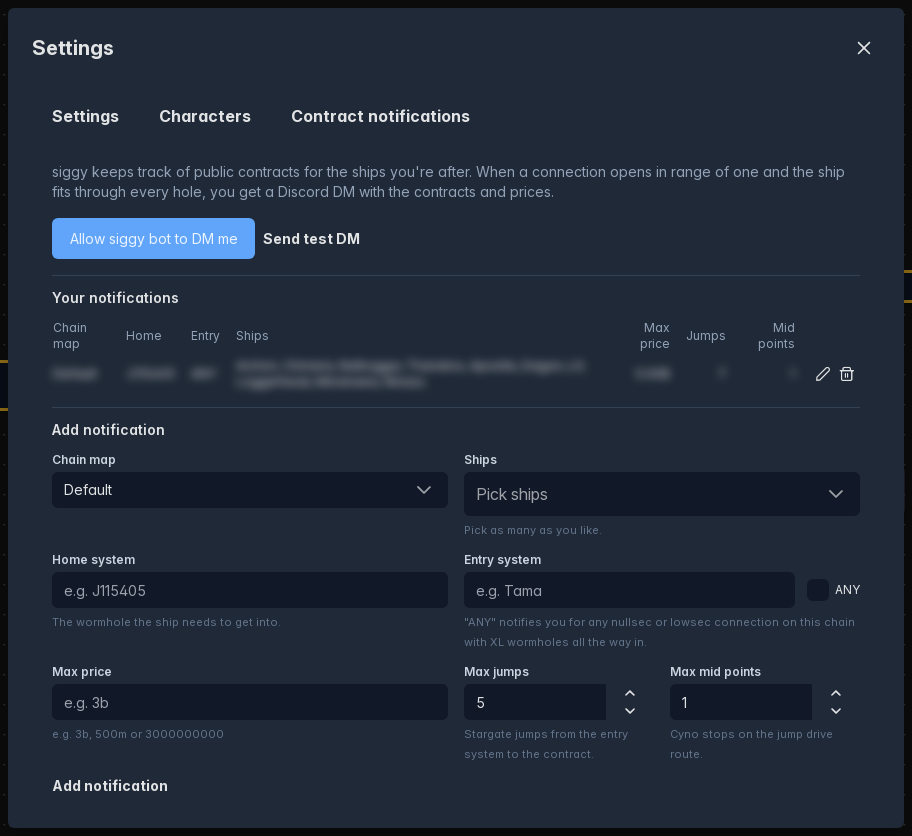
The same contract notifications as the classic account pages: the Discord bot and test DM buttons, your notifications, and the form to add or edit one.